Thinking Tokens & Doing Tokens: Agents and Harnesses
I hope to capture my thoughts and learnings each week based on the work I do, articles I read or podcasts that I listen to. I call this Thinking Tokens and Doing Tokens. This week was dominated by agents and harnesses - trying to understand what they are and also trying to implement something like it for one of my side projects.
Thinking Tokens
A harness is something like Claude Code or OpenCode which wraps an LLM API call, reads the LLM responses (text + tool calls) and provides the ability to execute tool calls and feed the response back to the LLM API in a continuous loop. I’ve been using it since Claude Code came out but I never had the chance to think deeply about how they work and understand the specifics.
There were three very interesting links that led me down this path this week. I first watched Claire Vo showing how she built a specific harness for herself focussed on analyzing Sentry logs for her product. I had mixed opinions after watching this video about what exactly a harness is. In my mind, what Claire was showing was actually a specific instance of a harness — still Claude Code at the heart but with an opinionated set of tools and prompts baked in. Then Nirant gave a very interesting talk on thinking about harnesses being a kind of compiler and also shared learnings from his various harness engagements. The interesting part about this talk was actually the discussions amongst the audience while he was having network issues. It’s not a dig on Nirant at all but it definitely helped to clarify the question I had earlier. The consensus was that everything that you do around a model API to enable it to do the “work” can be called a harness. That means that even if I write a simple for loop that calls the model API and takes care of executing tool calls — that is also a harness. And by that definition, Claire’s use is also a harness.
The last piece on harnesses this week was by Lilian Weng which starts with trying to lay out what Recursive Self Improvement might look like and lands at the harness as one of the core aspects in that direction. The equivalence between harness engineering and prompt engineering was quite striking - a lot of what we used to do during early prompting was soon built into the model itself and is not required anymore. In a similar analogy, a lot of what the harness does today might eventually get built into the model but there will always be a need to enable/embody the model by connecting/integrating it into the execution environment (which is what the harness does).
I tried to simplify to myself what I had learnt - An LLM API call is text-in/text-out (it can be more than text but let’s keep it simple). The text out can contain tool calls but the LLM won’t do this by itself — you have to write code to do that. The result of the tool call has to be passed back into the context of the LLM in the next LLM API call as well. The LLM won’t do it itself. Therefore whatever piece of code that you write that does these things can be called a harness. By this definition, the only thing that does not qualify as a harness is a simple text-in/text-out call to the LLM where you use the text directly — like a summarization call. Any further manipulation that you do like deciding which parts of the tool response to add to the context, whether to store/inject something from memory - all of those are aspects that you build into your harness. The harness code is therefore likely to do some type of workflow co-ordination — like calling the tool, returning the tool response to the LLM and therefore it also includes tool definition, which tool to call, which parts of the tool response to add back and so on.
Doing Tokens
This week I worked a bit on introducing agentic loops into Podsumo — my personal side-project that summarizes podcasts for me on Telegram. There are a bunch of tools that enable observability on the product — starting from monitoring Google search hits using the Google Search Console, to monitoring traffic using Cloudflare Analytics and making sure that there are no errors through LLM logs in Openrouter or Langfuse. It normally runs without issues but as I was considering opening it up to more users and building an alerting mechanism.
I implemented this in a heavily deterministic manner by running a cron job at regular intervals that first collects the detailed information from each of these services via API calls and then makes a call to an LLM API to determine if there are any issues worth highlighting to me on Telegram. This way I need to jump in only when I’m alerted. Based on what I’ve learnt earlier, I would not really call this an agent or a harness. I think I could have made it less deterministic by running it as an agent but I don’t think it serves my purpose right now.
I learnt some interesting things in the process; I wanted to have a way to analyze the container logs in Modal and I tried to run a Modal CLI inside a Modal container and learnt that this behavior is blocked. I was circumspect to start with but no harm trying, and it felt like a very inception moment! Technically it’s possible to use a scope-restricted API key from Modal instead of the CLI but that’s available only on the paid plans and I’m nowhere close to affording that on my side project. This was the reason why I had to use the CLI work-around.
The monitoring loop actually works so far — there were a couple of issues that were already identified which I fixed earlier today. That’s how I also discovered that smaller models listed on Openrouter that do not have too many providers can simply disappear. I was using Arcee Trinity Mini by Arcee-AI and they’ve just stopped offering it and my API calls were failing. This is also where the models array in the Openrouter call makes sense — because then you have a set of fallback options. But it seemed a bit weird to me that some models just fall off without any announcement or notification. I guess they know the email associated with each API key and could at least highlight changes like this.
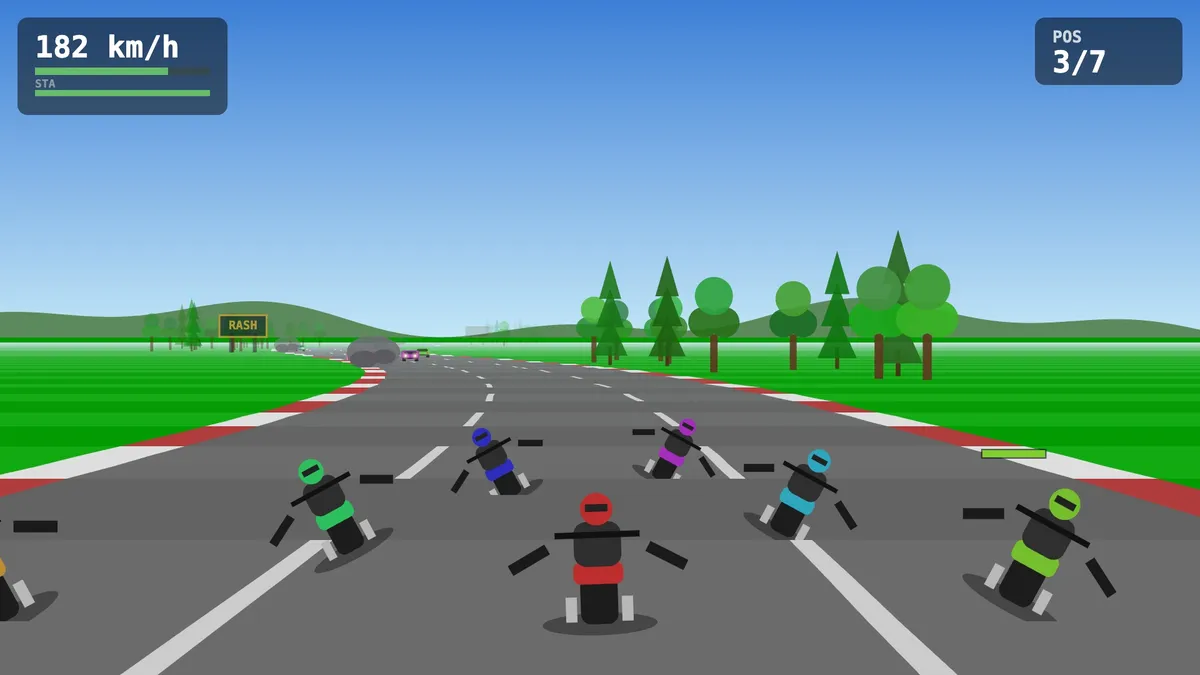
I also used Fable this week to figure out what it’s like. I used to enjoy playing Road Rash as a kid and I had the idea to recreate that with a twist. I wanted to allow users to pick actual routes from a map — imagine riding a race on your real commute — and this would be called Road Rush! I have no clue about designing and running games but I learnt more about it in the process. Fable taught me about 2D rendering in the browser, how distances can be calculated, how to simulate the curving of the road and so much more. Genuinely mind-blowing.
More importantly, I also started picking up some ways in which to work with this model or harnesses in general. Use Fable as the orchestrator or coordinator. I literally told the model that I have limited credits and to please use appropriate sub-agents with Opus or Sonnet based on that task, and I could see how well this works. The testing and validation was always retained by Fable while it delegated everything else. I am not as familiar with the use of sub-agents so this was quite instructive.
I also realize how soon you hit the cognitive load in finishing a project. One-shotting something like this is probably difficult as the definition (spec) is not even clear to me. This means that what starts out as a two-hour project scope soon becomes a larger project that needs more attention in order to be done well. It was a valuable realization that no matter how fast models might become, the onus of finishing what you started is still on you and still requires significant cognitive investment and motivation. With Road Rush I could not dedicate more time during the week (even with Fable) and had to pause it for another time.